Depictio from the command line (v1.24+)
The second hands-on course. In Depictio in the browser everything happens in the browser. Here you start from your own tables in the browser, bring an nf-core run in from your terminal with the Depictio command line, then collaborate on the dashboard and export it. Day 2 is on 16 December.
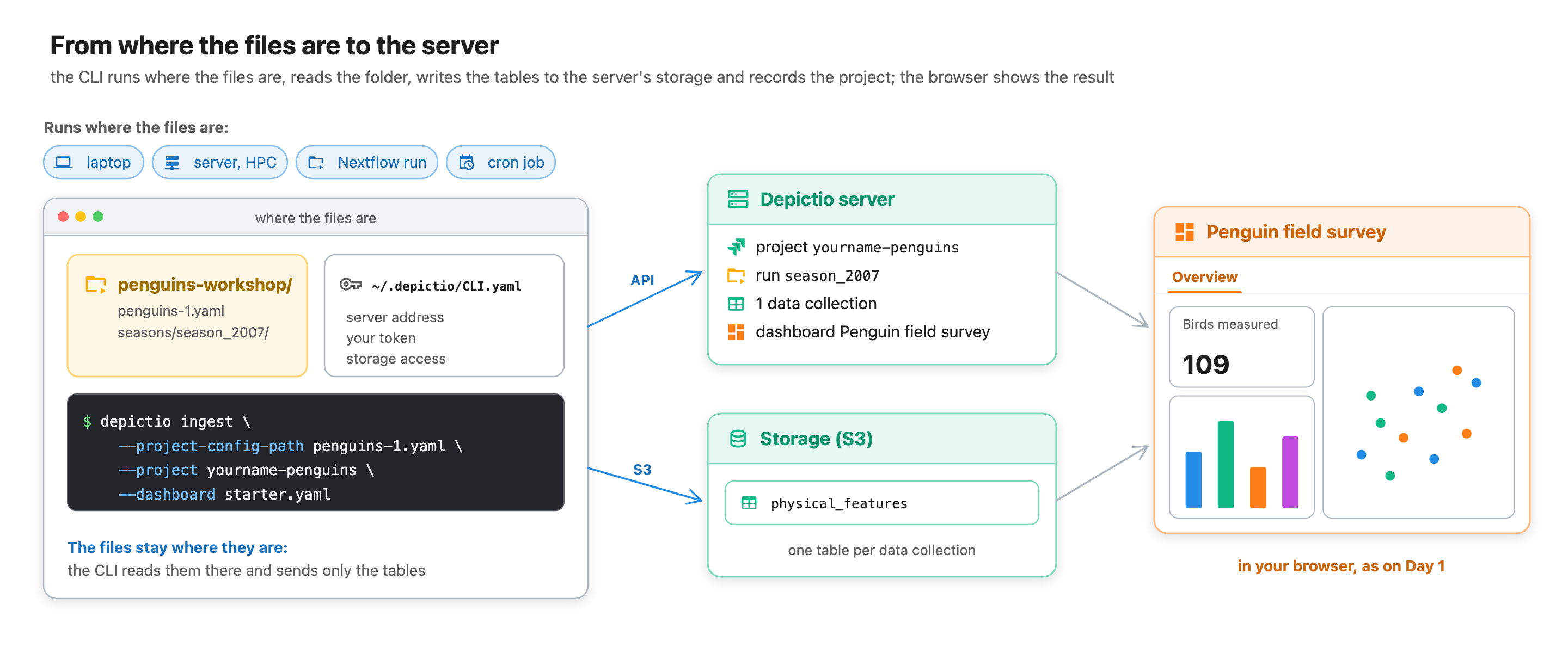
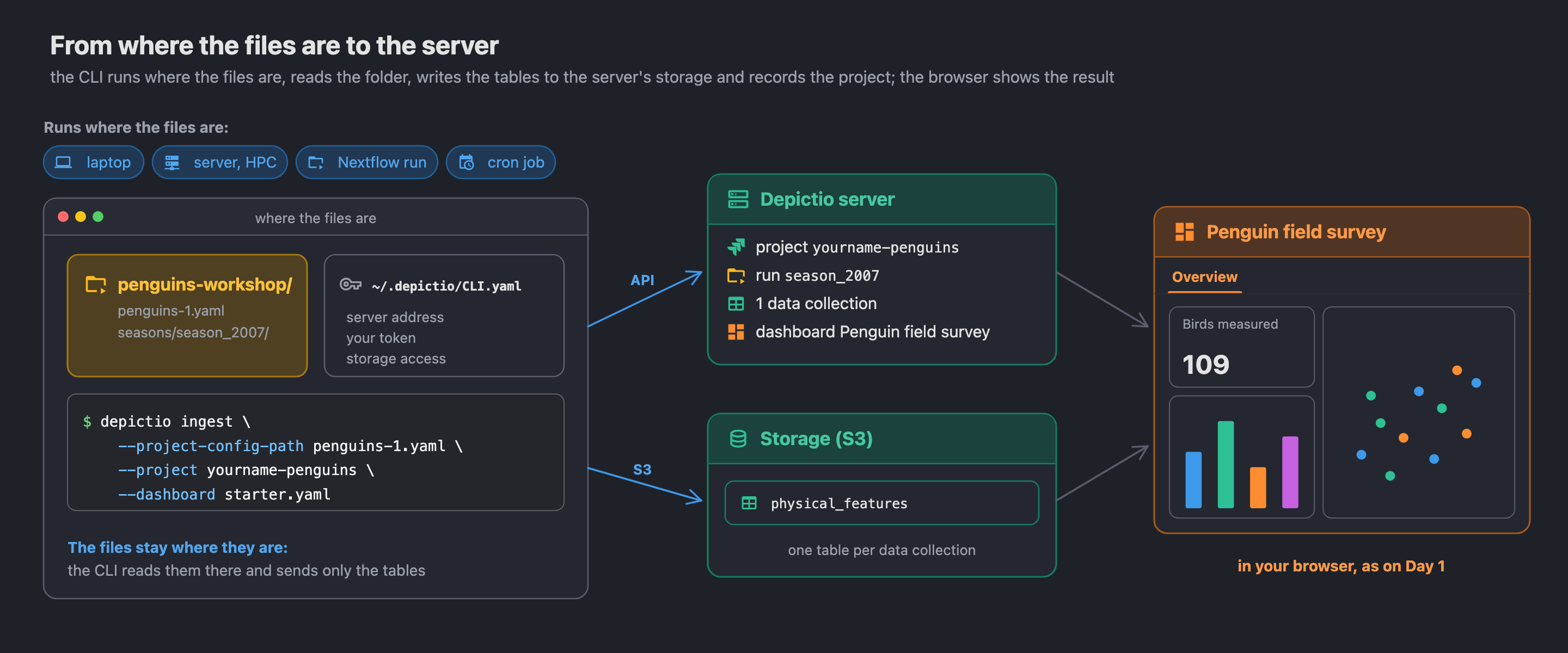
Episodes
-
0 Setup
Before the session
How do I install the CLI and connect it to the server?
-
1 Your own tables, no template
Palmer Penguins · in the browser
How do I turn my own tables into a project, when no template exists?
-
2 An nf-core run from the terminal
nf-core run · the command line
How does a pipeline Depictio knows skip the project file?
-
3 Work on your dashboard, together
Your copy of nf-core/ampliseq · in the browser
How do I label, comment, go back to a version, and hand the dashboard over as a file?
-
Optional · A project file by hand, a new season, a dashboard as code
What else can the command line do?
Timetable
16 December, 10:00 to 12:00, in the browser and in the terminal. Each episode ends with a hands-on; the times include it.
| Time | Block | Min | Hands-on |
|---|---|---|---|
| 10:00 | Welcome | 5 | |
| 10:05 | 1 · Your own tables, no template | 20 | 10 min |
| 10:25 | The command line: your CLI.yaml | 10 | |
| 10:35 | 2 · An nf-core run from the terminal | 25 | 15 min |
| 11:00 | Break | 10 | |
| 11:10 | 3 · Work on your dashboard, together | 25 | 15 min |
| 11:35 | Wrap-up | 10 | |
| 11:45 | Your questions | 15 |
Install the command line before the day: Setup.
Two datasets
-
Palmer Penguins
The census and measurements of the browser course, split into one folder per field season.
Episode 1 and Going further · palmerpenguins, CC0
-
 nf-core/ampliseq 2.18.0
Your copy of the dashboard of the browser course: 12 samples from soil, sediment and water.
Episode 3 · nf-core/ampliseq
Requirements
-
Technical
- A laptop with macOS or Linux. On Windows, WSL2 with Ubuntu.
- Python 3.11 to 3.13:
python3 --version. Python 3.14 does not work yet. No administrator rights needed: everything goes in a folder of your own. - About 1.5 GB of free disk space.
- A network that reaches the workshop server and its storage: Setup checks both. Try it before the day.
- The workshop server address and a personal account, given by the instructor.
-
Skills
- Running commands in a terminal:
cd,ls,unzip, pasting a command and reading what it prints. - Editing a text file and keeping its indentation: YAML counts spaces.
- The words of the browser course: project, data collection, link, run, dashboard. The Reference lists them; the course itself helps but is not required.
- No programming.
- Running commands in a terminal: