Groups (v1.18.0+)
A group is a set of users a project can be shared with in one go, such as a lab with its P.I. A user can be in several groups, and a project can be shared with people, with groups, or both, as owner, editor or viewer.
A user's role on a project is the highest of their own role and the roles of their groups: a direct viewer whose lab owns the project is an owner.
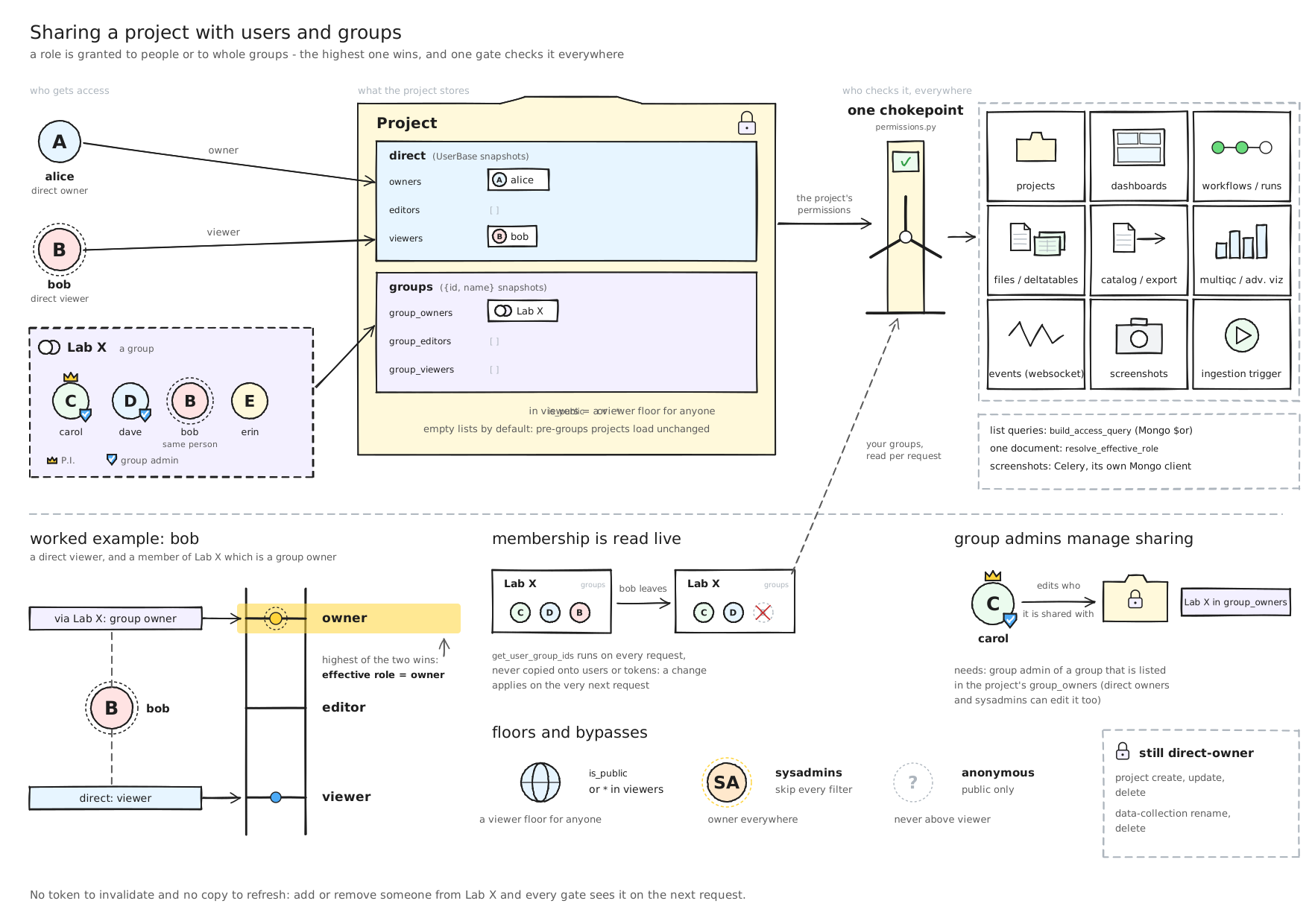
Who runs a group
| Role | Can |
|---|---|
| System admin | Create, rename and delete any group, name its P.I., manage its members and admins |
| Group admin | Rename the group, add and remove members, promote or demote admins. A group keeps at least one admin, and an admin cannot demote themselves |
| P.I. | A group admin by default, shown with a crown |
| Member | See the group and its members |
The P.I.
A system admin names a group's P.I.; they become a group admin. When the address has no account yet, the group shows a banner and waits: that person becomes its P.I., group admin and member when they first sign in, by password, Google or SAML. On a group mirrored from SAML, the claim waits until the identity provider asserts the membership.
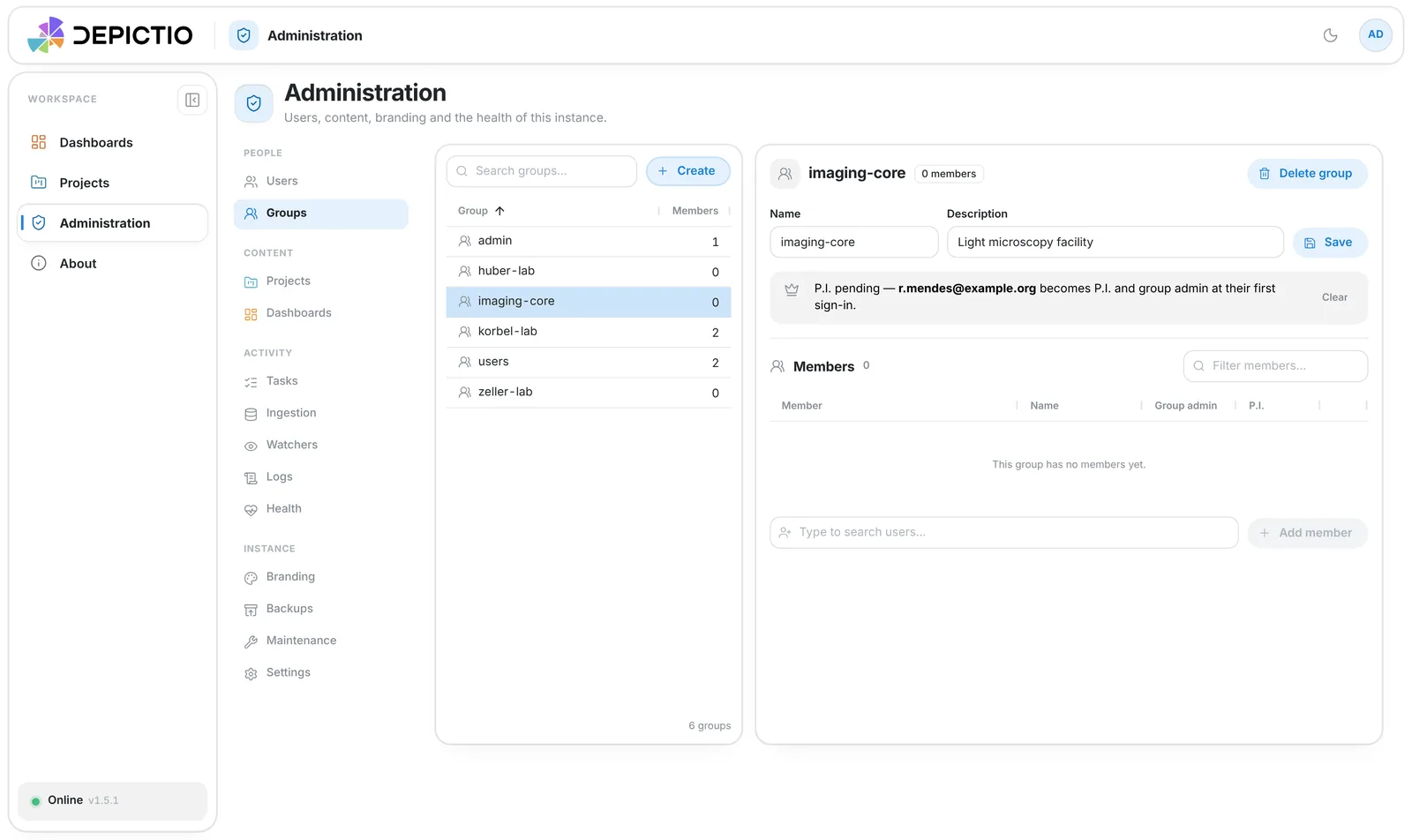
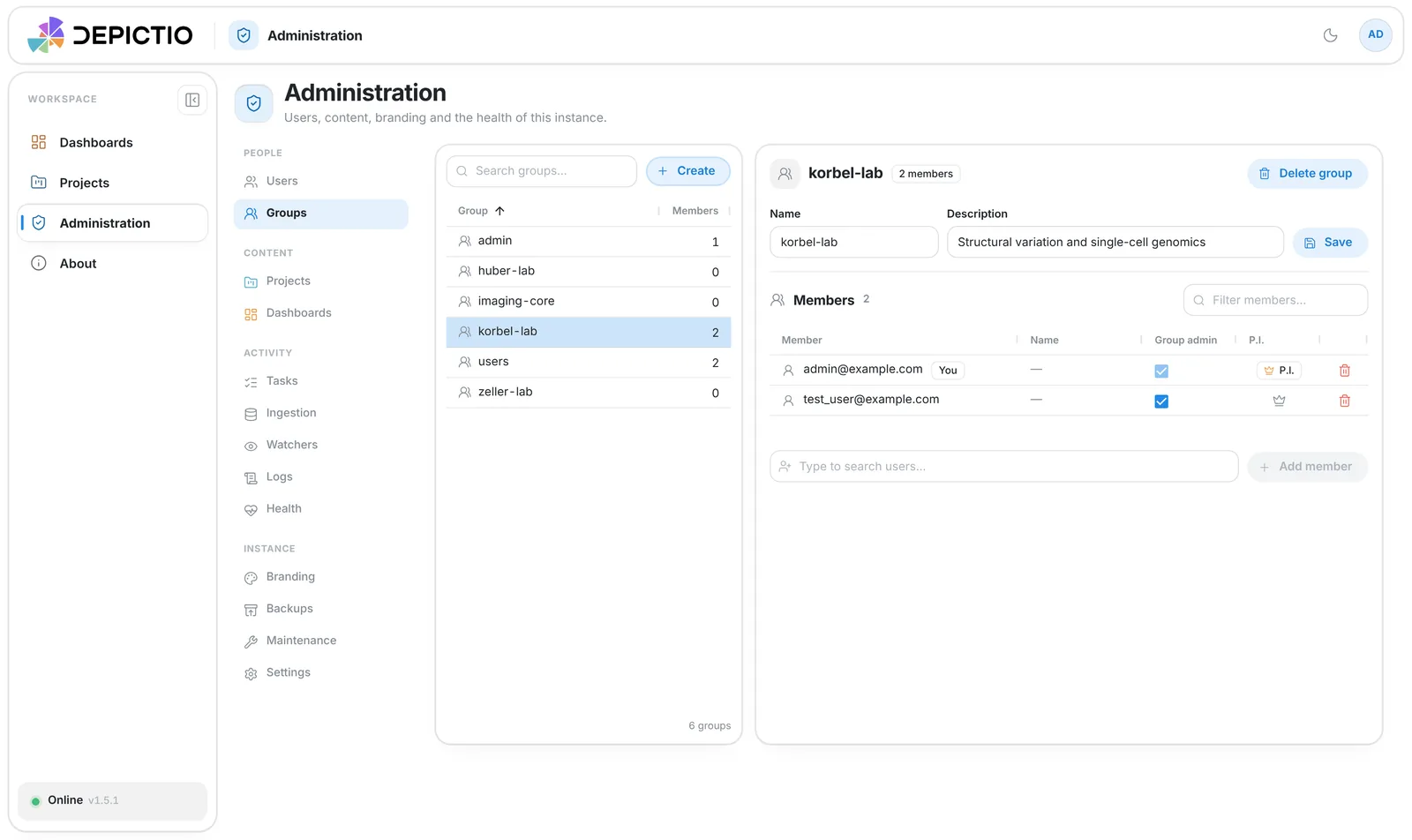
Managing a group
Administration → People → Groups lists every group, with search, sortable columns and
a Manual / SSO source filter. The selected group opens beside the list: inline name and
description, a members grid with a Group admin checkbox and the P.I. crown, an add row
and, except for the built-in admin and users groups, a delete action.
My groups
/groups is the same workspace limited to your own groups: read-only where you are a
member, manageable where you are a group admin, so running a lab does not need a system
admin. It is opened from the group badges in
Account settings (crown for P.I., shield for group
admin), which also show the name and title an identity provider gives.
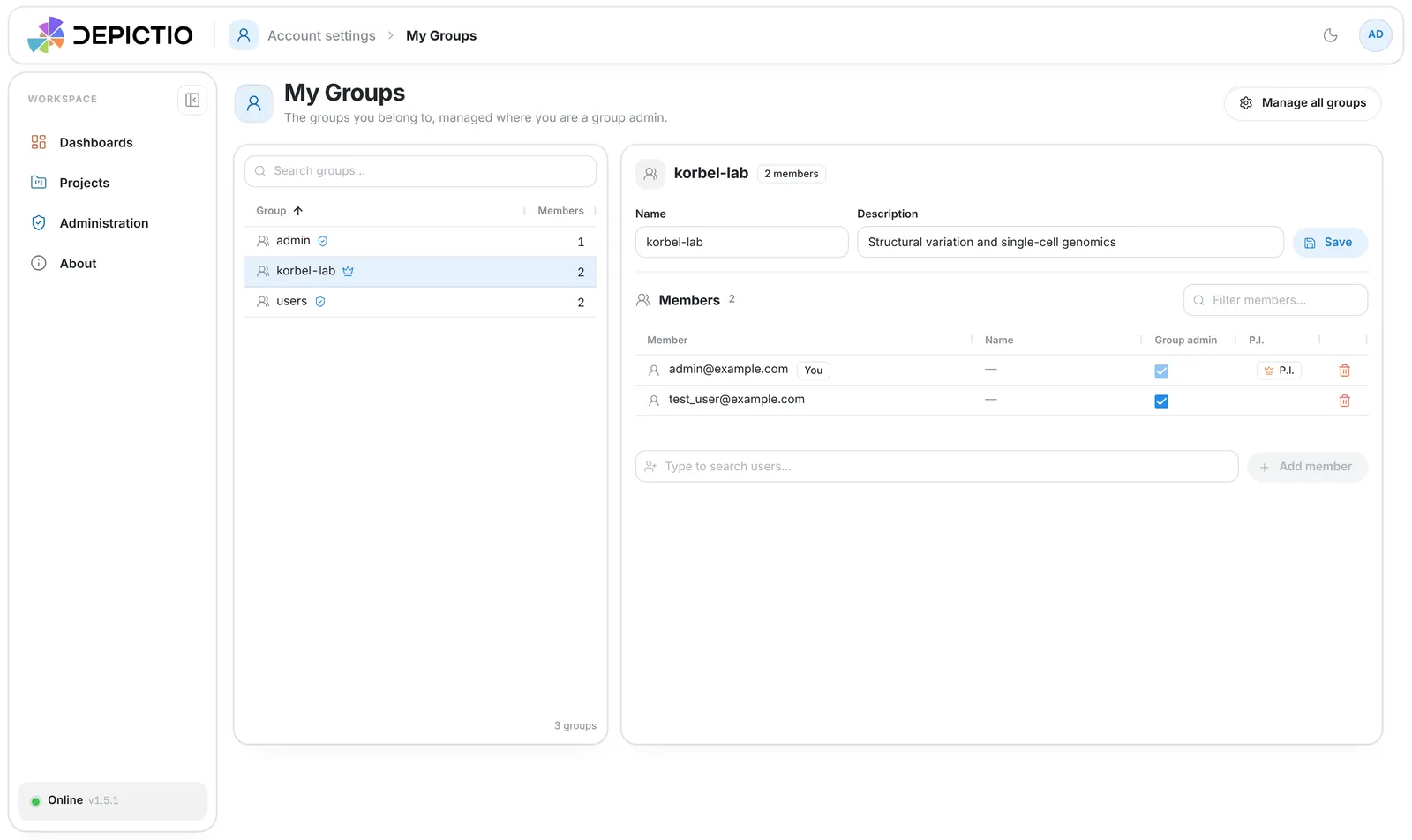
Screenshots use mocked data.
Sharing with a group
A project's Permissions page has a Groups section beside the people: add a group by name and give it one role. Users and groups are saved together. Since v1.19.0 typing a group's name previews its members, and Everyone with access lists each person once with their highest role.
- An admin of a group that owns the project manages its sharing and its public switch, like an owner.
- A project always keeps an owner; an owning group counts.
- Deleting a group removes it from every project it was shared with.
See Project permissions.
Groups from the identity provider
With DEPICTIO_AUTH_SAML_ATTRIBUTE_GROUPS set, each SAML sign-in mirrors the user's groups
as SSO-managed groups, badged SSO: created when first seen, membership synced both
ways at every sign-in. Groups created by hand are never touched. See
Group and profile sync.