Composed dashboards (v1.16.0+)
When no bundled template fits a results directory, depictio ingest builds the
dashboard from what it finds there, the way MultiQC builds its report: each
file the tools catalog recognises becomes a data
collection with the tiles the catalog gives it, laid out in one tab per
pipeline stage. The result is an ordinary template, so
ingestion, refreshes and the dashboard import work as they do with a bundled
one.
# No bundled template fits: the dashboard is composed from the catalog
depictio ingest results/

# Compose even when a bundled template fits, and add the files the catalog does not know
depictio ingest results/ --compose --include-unknown

# Look first, offline: print what would be composed and write an editable template
depictio template compose results/ -o my_template/
depictio ingest results/ --template my_template/
Here a results directory no bundled template fits is previewed with
depictio template compose, then ingested into the local server, which
composes the same template and imports the dashboard:
When a dashboard is composed
depictio ingest takes its project from the first of these that applies (see
Which template a run uses):
--templateor--project-config-path;--pipeline-id;- a bundled template detected from the run's own records, such as an nf-core
run's
pipeline_info/; - a template composed from the catalog.
--compose skips the third: it composes even when a bundled template fits. It
cannot be combined with --template or --project-config-path.
Only a local DATA_DIR is composed, since the catalog is matched against a walk
of the directory:
- An
s3://run folder,--manifestor--bindwithoutDATA_DIRstill need a template. The web UI's From a run folder does not compose either: a folder no template reads gets No matching template, and a pipeline has to be picked. - The Nextflow trigger passes
--pipeline-idfor every pipeline that declares amanifest, so a pipeline Depictio ships no template for stops at the second step, with exit code 1, rather than being composed. Rundepictio ingest <results dir>yourself.
When the catalog recognises nothing in the directory, the run stops with exit
code 1: Nothing in … is recognised by the catalog. The message says how many
tabular files the directory holds, which --include-unknown would ingest.
What is recognised
- The directory is walked once, hidden folders and a top-level
work/folder left out, and each catalog output'sfind(a file name or a path glob) is matched against that walk. - Every
multiqc.parquetbecomes a MultiQC collection, wherever it sits. Its plots are listed off the report itself, so themultiqcpackage is not needed to compose. - An output the catalog reads as it is becomes a table collection of the files found, in CSV, TSV or parquet.
- An output that a recipe reshapes becomes a recipe collection whose sources
point at the files found. A file is kept for a recipe only when it has the
input columns the recipe declares, so a broad
findsuch as*.tsvdoes not take another tool's tables. A recipe that parses whole reports (Picard, RSeQC, samtools stats, Bowtie 2 logs) gets them one line per row, as the bundled templates scan them, and a collection that a recipe reads is created for it from the raw files when the run has none. - Each output's renders become tiles, kept when the collection has the columns they bind and the dashboard models accept them.
- Every composed collection is optional: one that fails to ingest is skipped and the import drops its tiles, instead of the run failing.
Before ingesting, the CLI prints what it decided:
- Recognised: each collection with its tool, its stage and its files;
- the tabs, the key metrics, and whether general statistics were joined;
- Left out, with a reason for each: a file the scan cannot read, a render
whose columns are missing, a recipe whose input is absent, a table written
twice as
.csvand.tsv; - Not recognised: the tabular files the catalog does not know, with what each could show. The count in its heading also takes in the files that could not be read as a table, which get no line.
depictio ingest shows the first 15 items left out and the first 10 files not
recognised; depictio template compose --verbose lists them all.
The dashboard
One multi-tab dashboard:
| Tab | What it holds |
|---|---|
| Overview | About this run: the tools recognised, the MultiQC report and the tabs in pipeline order, then, when the catalog does not know some tabular files, how many were left out, with a pointer to the project page and --include-unknown (once all are added, that they are in their tool's tab or in Other data). Key metrics: the number of samples, then the cards the catalog marks as a tool's headline, eight cards in all at most. General statistics: MultiQC's General Statistics table, and Headline metrics per sample, across tools, one row per sample and one column per headline card |
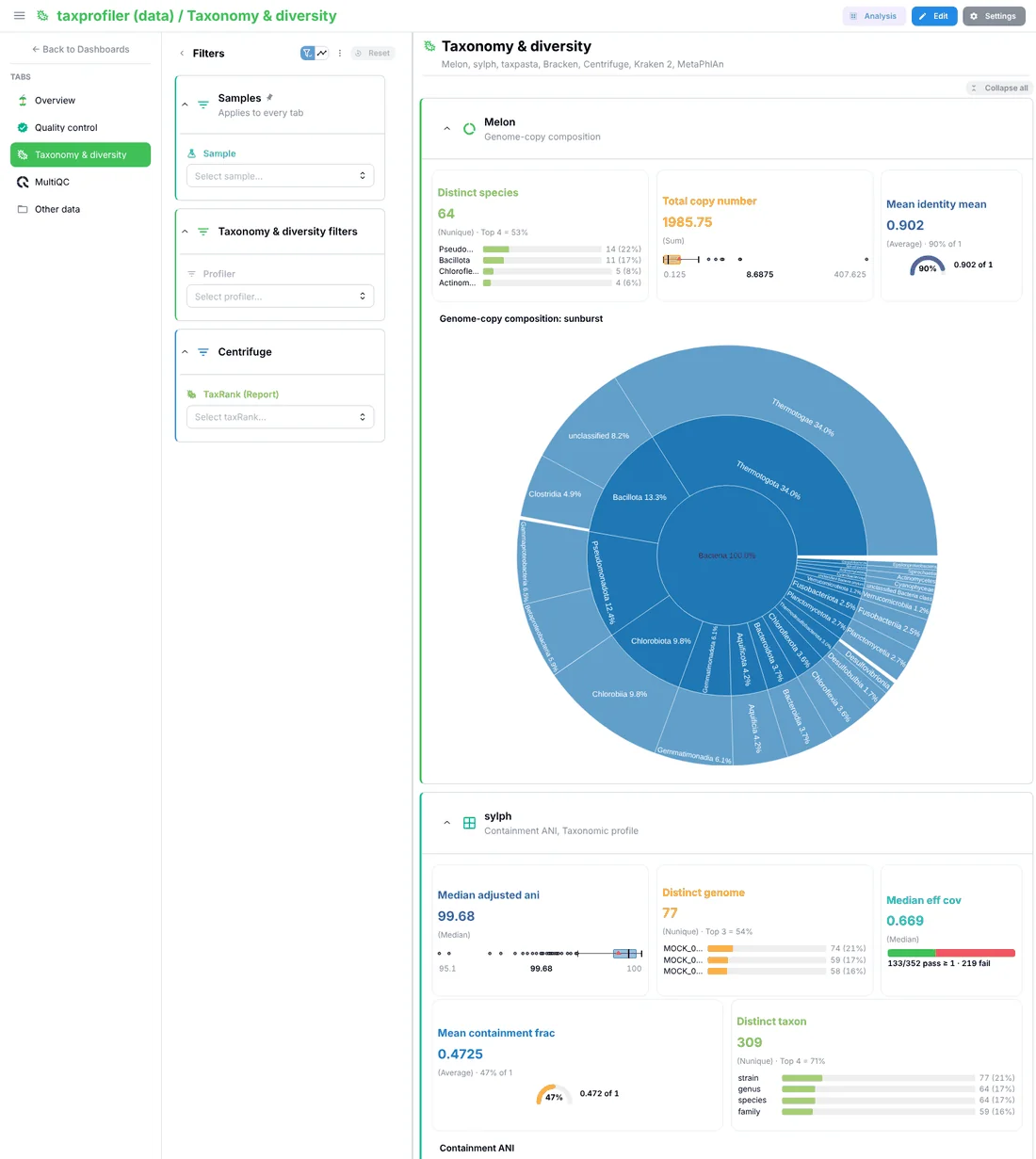
| One tab per stage | Each stage present, in this order: Quality control, Alignment & coverage, Quantification, Peaks, Variants, Fusions, Taxonomy & diversity, Functional annotation, Immune repertoire, Differential analysis, Benchmarking, Other results. The subtitle lists the tools, and each tool has a section: its cards (eight at most, none twice), figures and advanced visualizations. The tables are folded under Tables, and the catalog's filters sit in a … filters section |
| MultiQC | Every plot of the report, in sections by stage. A run with several reports gets one tab each, named by what tells them apart, such as MultiQC (test_aws) |
| Other data | Only when files the catalog does not know are added |
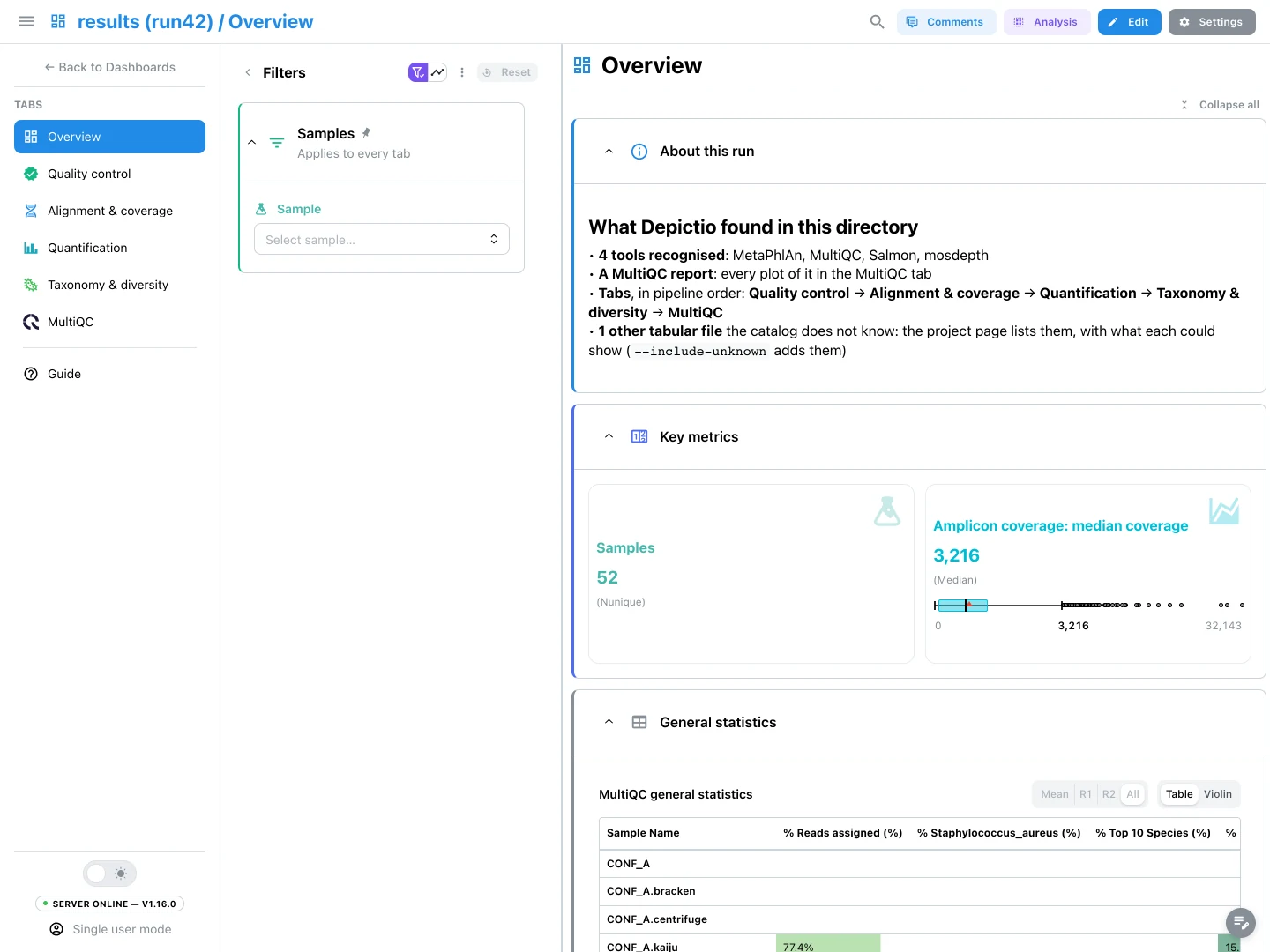
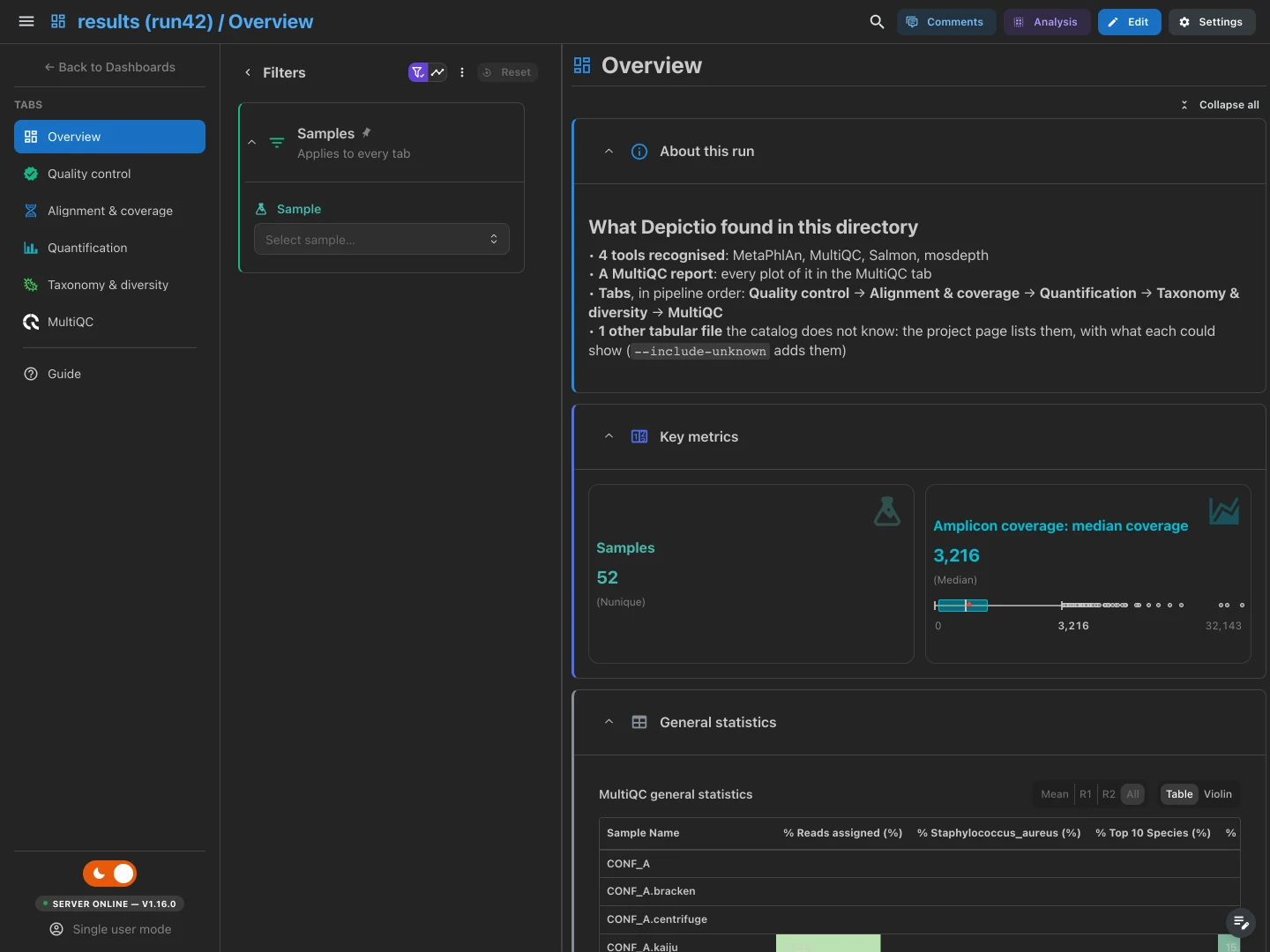
A tool's stage comes from the catalog. A MultiQC plot goes to the stage of the catalog's section for its module, Quality control when the catalog has none.
Colours and icons follow what a tile shows, after the bundled reference dashboards: a card's colour and icon say what it measures (the sample count is teal with a flask on every tab), no colour appears twice in a section, and a section's icon comes from its content. An nf-core run gets the nf-core icon.
The Samples filter
The filter panel opens on one Sample filter, in a Samples section pinned at the top and marked Applies to every tab, a section on every tab. It narrows every tab:
samples.tsv, written next to the composed template, lists every sample of the run: the values of each collection's sample column (sample,sample_id,sampleid,sample_nameorsamplename), the values read off file paths, and the rows of MultiQC's General Statistics.- A name that extends another at a separator is the same sample:
MOCK_001_Illumina_Hiseq_3000_1 in the MultiQC report is MOCK_001 when a
path names MOCK_001, while S1 and S10 stay two samples. Suffixes such
as
.sorted.bamare removed first. - The filter is linked to MultiQC and
to every collection that names samples: with the
directresolver when the collection uses the same names, withsample_mappingand the variants otherwise. - The sample filters the catalog offers per collection are dropped. A group of unrecognised files keeps its filters on columns with 2 to 12 values.
With fewer than two samples, or more than 5,000 names, no samples.tsv is
written. The filter then reads the MultiQC report's own sample list; without a
report, a stage tab that has no filter gets a sample filter on its first
collection with a sample column.
Files the catalog does not recognise
Tabular files (.csv, .tsv, .tab, .txt, .parquet) that no recognised
output uses are proposed, never added silently. Files under pipeline_info/
and in the data folder of a MultiQC report are not proposed.
- Files of one shape (the same depth, extension and columns) that differ by one
value are one proposal, written as a glob:
arg/abricate/*/*.txt, 19 files. The part that varies becomes a column:samplewhen the files have no sample column and its values turn up elsewhere in the run under other names,fileotherwise, as for variants of one output such assalmon.merged.gene_*.tsv. - A file whose first row is data, not column names (a Kraken report), is read without a header, its columns numbered.
- A table written twice, as
.csvand as.tsv, is proposed once. - Each proposal says what the file would show: up to four numeric columns as
cards (
card: mean of reads), up to two filters on columns with 2 to 12 values, a scatter of the first two numeric columns or a box plot of one by a category, and the table.
At most 50 proposals are listed, and at most 2,000 files are read to find their shape.
Adding them
--include-unknown adds every proposal. --include GLOB adds those with a
file matching the glob, relative to the results directory; it is repeatable.
A glob with no / matches a file name at any depth ('*.tsv'), a trailing
** takes every file below ('amp/**'), and a proposal's own glob is taken as
it is. A proposal named by --include is added even past the 50 listed.
Both apply only when the dashboard is composed: with a bundled template that
fits, add --compose.
An added group goes where the tool that wrote it is. When a directory on its
path names a catalog tool or MultiQC module (its id, its name, or exactly one
word of it, so deseq2_qc is DESeq2's), the group gets a section named after
that tool, in that tool's stage tab, the deepest such directory winning.
Other groups go to the Other data tab, one section per directory below
what they share; a top directory that only holds tool directories, such as
arg/, is looked through. At ingestion, the value a group's files differ by
is added to their rows as the sample or file column, from the
wildcard of its scan.
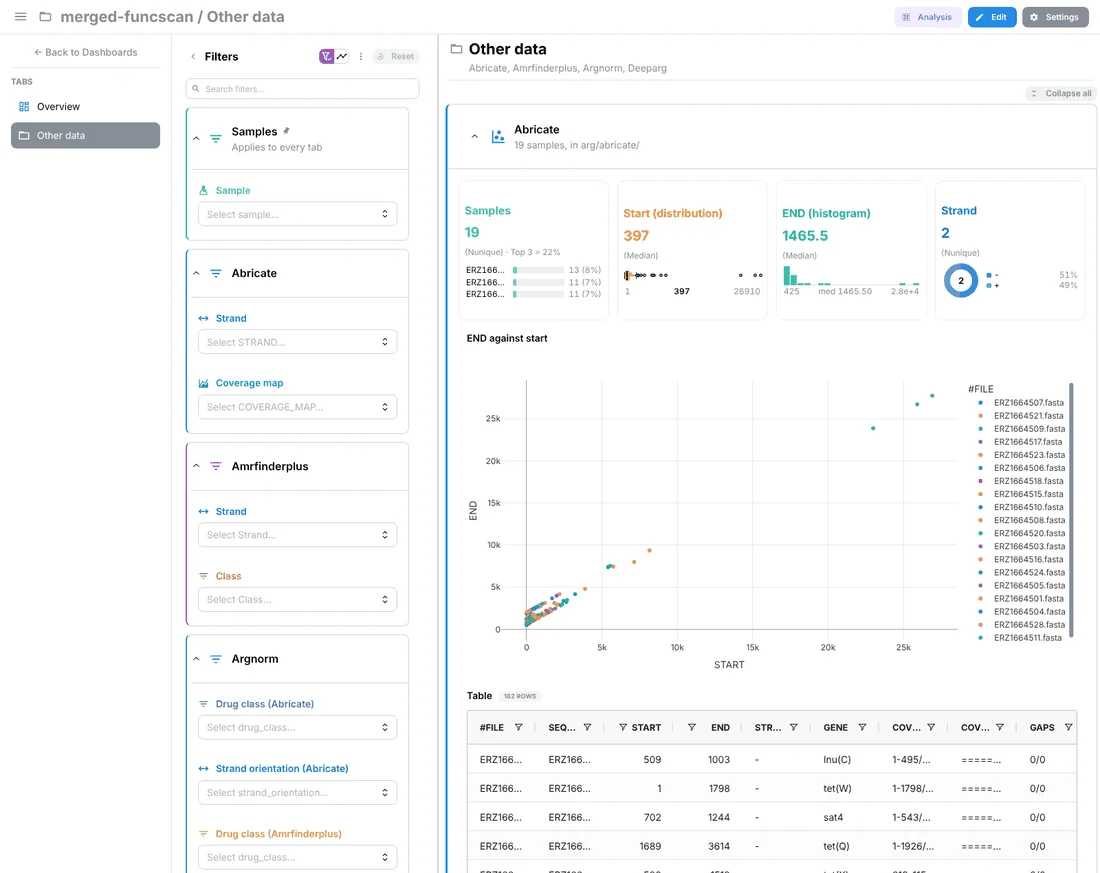
--include-unknown: the Other data tab. Abricate's 19 per-sample tables are one collection, its sample read off the path.On the project page
The Data collections tab of a composed project lists what was left out in a Files the catalog did not recognise card, below its data collections:
| Column | Content |
|---|---|
| File | The proposal's name and its path or glob, N files for a group, and the column holding the samples |
| Columns | How many, and the format; their names on hover |
| Would show | The tiles it would get |
The copy button of a line copies the command that adds it, and the one in the card's header the command that adds them all:
depictio ingest '/data/run42/results' --compose --reset-dashboards --include 'arg/abricate/*/*.txt'
depictio ingest '/data/run42/results' --compose --reset-dashboards --include-unknown
The files are on the machine that ran the ingestion, which the server may not
see, so the page gives a command rather than a button: run it there, against
the same server. --reset-dashboards rebuilds the dashboard from the new
composition, since a refresh keeps the tabs a dashboard already has as they
are; edits made in the viewer are lost. Add --project when the project was
given a name of its own.
Composing offline
depictio template compose composes without ingesting and without a server:
it prints the same report as ingest, then writes the template.
depictio template compose results/ -o my_template/
# edit my_template/template.yaml or my_template/dashboards/composed.yaml, then
depictio ingest results/ --template my_template/
| File | Content |
|---|---|
template.yaml |
The template: its id, composed/<directory>, a DATA_ROOT variable, one workflow named after the pipeline (or results) with one data collection per recognised output, the links of the Samples filter, and the files left out with their proposals |
dashboards/composed.yaml |
The dashboard |
general_stats.tsv |
The headline metrics per sample, across tools |
samples.tsv |
Every sample of the run |
general_stats.tsv and samples.tsv are computed from this run and read from
the template's folder: keep the folder where it is, and compose again for
another run. The options are in the
CLI reference.
Without -o, the template goes where depictio ingest keeps the templates it
composes: ~/.depictio/composed/<directory>-<hash>/, one folder per results
directory, or the same below DEPICTIO_COMPOSE_HOME when it is set. The
composition is deterministic, so composing the same directory again writes the
same template, and a refresh does not reshuffle the dashboard.
The project is named <directory> (<parent directory>), such as
results (run42), unless --project names it.
Limits
- Only a local results directory is composed: not an
s3://one, not from the web UI, and not through the Nextflow trigger for a pipeline with amanifest. See When a dashboard is composed. - The Samples filter reaches a collection only through a sample-named column or its file paths. A table that names samples in a column called otherwise is not linked.
- A recipe that reads other collections is left out of the general statistics, which are computed from the files before anything is ingested.
- Most catalog outputs render advanced visualizations, and few MultiQC modules have a catalog section of their own: their plots are all on the MultiQC tab, under Quality control.
- An unrecognised file is added with the command from the project page, not from the browser.
See Also
- CLI usage:
--compose,--include-unknown,--include,template compose - Templates: which template a run uses
- Contributing a tool:
stage,headlineandpriorityin the catalog - Tools catalog: the outputs a composition can recognise