Tool Studio (v1.9.0+)
Depictio Tool Studio adds a tool to the Tools Catalog from the browser: drop a sample of one of its output files (or a raw file plus a recipe), bind its columns in depictio's own component builder, and the app opens the pull request. Nothing to install: your files are read in the page and only leave it with the pull request.


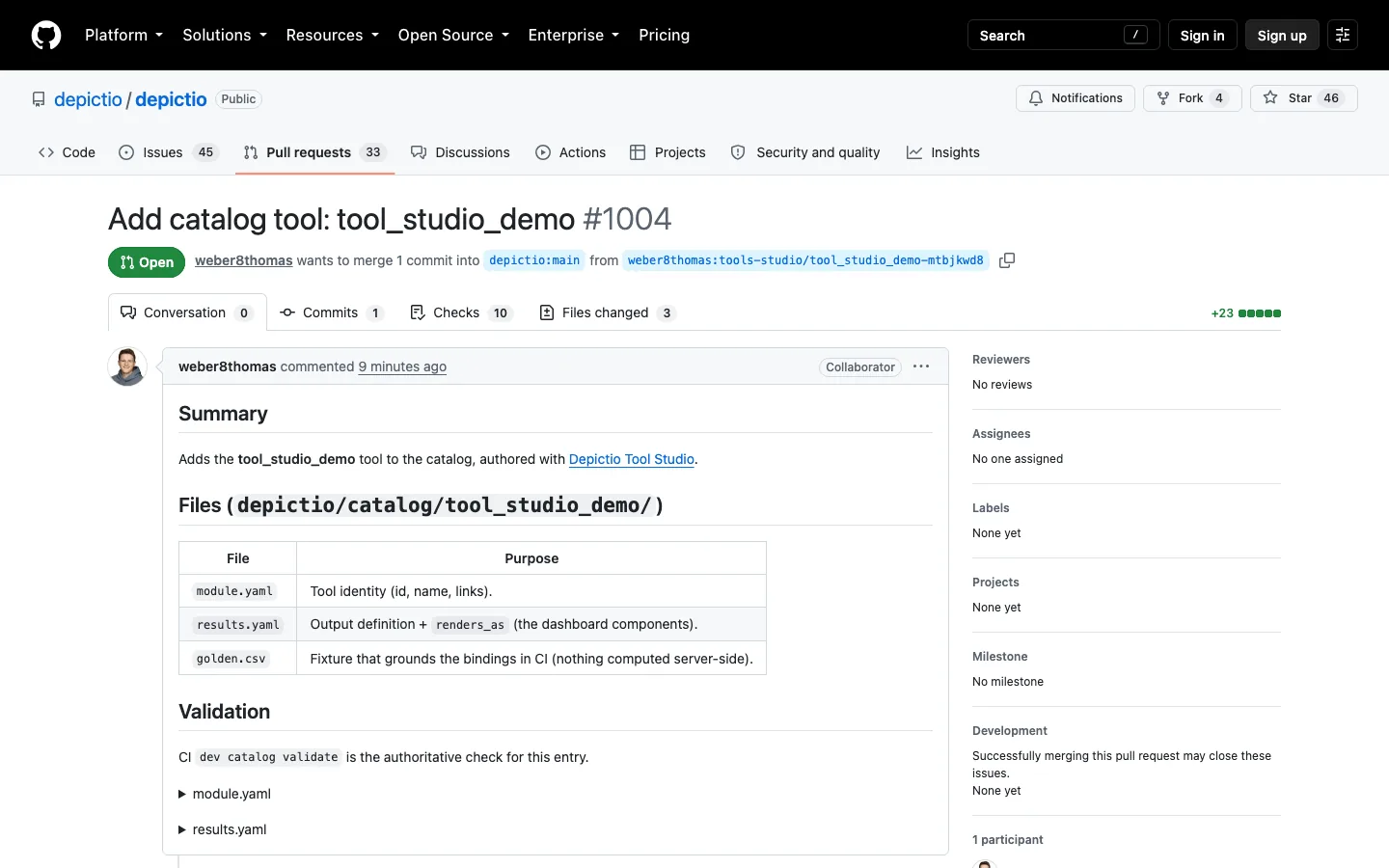
An entry is a folder: module.yaml (which tool), one <output>.yaml per output file, the
fixture each output binds against, and a recipe when the file is not already a table (half
the committed outputs). Try an example loads a committed entry; Import an entry reads
a zip, a tool folder or a draft JSON. The hand-written path
produces the same folder.
v1.23.0+ The Studio wears depictio's own chrome, keeps an Entry panel beside every step (the files to write, the checks run so far), and covers recipes, several outputs and the CLI's checks.
1. Tool


Identity on the left, the output on the right. Next unlocks with six fields: tool id and name, description and homepage (what the catalog card shows), output slug and path glob (or an exact file name). The path glob is how depictio recognises the file in a run.
Import from nf-core, Snakemake or Galaxy


Paste a module, wrapper or tool URL and press Import: the app reads its metadata
(meta.yml for nf-core) in the browser and fills the identity, homepage and bio.tools
link. Picking an Output channel fills the slug, path glob and description.
If the tool is already in the catalog


Recognition runs as you type (nf-core module path, then id, then name).
Add a visualization here appends to that output's renders_as, rebased on main;
Add a new output to this tool writes a fresh <output>.yaml and leaves
module.yaml alone. A close relative (macs3 next to macs2) is flagged too.
Not this tool? Continue as a new tool dismisses the match.
If MultiQC already parses it


depictio already ingests MultiQC, so an entry for one of its 181 modules is often work for metrics that arrive anyway. Advisory only: an entry is still legitimate for an output MultiQC skips.
Optional fields
Classification holds the stage (the tab a composed dashboard puts the tool's
components under), EDAM topics and an entry version. More ways to recognise the file
holds alternative globs and an exact file name. The file needs reshaping first
(recipe) turns the Fixture step into the recipe pipeline.
2. Fixture


Drop one real sample of the output file, or fetch it from a URL (the host must allow
cross-origin requests, as the four linked corpora do; a github.com blob link is rewritten
to raw). The file is committed with the entry: CI checks every binding against it. A file
that is not a table (a .narrowPeak, no header row) offers Reshape it with a recipe.
Recipes: raw sample, recipe, fixture
v1.23.0+


For an output that needs reshaping, the Fixture step is a three-stage pipeline. ① Raw sample: the tool's own files, any extension; add several to test across samples. They stay in your browser (not exported, shared or saved).


② Recipe: the Python module depictio runs at ingestion (SOURCES, OUTPUT_SCHEMA,
transform()), edited in the page. Run in the browser runs it on the raw samples with
Python and polars (the first run downloads them). ③ Fixture: its result, exported as the
committed sample.


The fixture is checked against OUTPUT_SCHEMA: a declared column it lacks means the fixture
is stale. The recipe is exported as <tool>/<slug>.py, referenced by recipe:. A recipe
from a link or an imported entry runs only once you press Run this code.
Several outputs
v1.23.0+


Add output in the bar above every step adds another output of the same tool. Each keeps
its own fixture, recipe and renders; the steps edit the highlighted one. Export writes
module.yaml once, then one YAML, fixture and recipe per output.
3. Visualizations


Add visualization opens the dashboard editor's component-type grid, then depictio's own
builder seeded from your fixture: same controls, same preview, same UI Mode / Code
Mode. Figures are drawn by depictio's figure code in your browser; in Code Mode df is
pandas there and Polars on the server, so use df.to_pandas().


Each render becomes a card with two tabs: For dashboard users (preview and use:
snippet) and For catalog developers (the exact renders_as entry).
4. Export


- Download zip: the folder to commit yourself.
- Sign in with GitHub & open PR: forks
depictio/depictio, commits underdepictio/catalog/<tool>/and opens the pull request (public_reposcope, token kept in memory). Without OAuth, Contribute on GitHub walks you through the zip upload. - Copy a link to this draft (
#draft=, fixture trimmed to 200 rows) and Download draft JSON both round-trip through Import an entry.


v1.23.0+ The Entry panel and the Export step run the checks of
depictio dev catalog validate: JSON Schemas, identity and URLs, the nf-core and EDAM
indices, fixtures, render bindings, recipes. Each finding links to the step that fixes it.
Errors block export unless you tick Export anyway; CI's catalog check stays the
authoritative one.
Driving it from a script
v1.23.0+
window.toolStudio loads (load, loadFiles, loadZip), validates (validateAsync),
exports (exportFiles, exportZip) and shares (link) without a click; the
agent guide
documents it.
What it generates
# module.yaml: id, name, description, homepage, nf_core_url, biotools_url (or null), stage
# results.yaml
id: mytool_results
find: {path_glob: "**/mytool/*.tsv"}
recipe: mytool/results.py  # only when the output needs reshaping
fixture: results.tsv
renders_as:
  - { component: card, column: coverage, aggregation: average, headline: true }
  - { component: advanced_viz, kind: volcano, roles: {feature_id: gene, effect_size: log2fc, significance: pvalue} }
Plus the fixture (byte-identical to the dropped file or the recipe's result) and the recipe module, per output.
What it cannot do yet
- No preview for the five server-computed advanced-viz kinds (embedding, complex_heatmap, upset_plot, coverage_track, sankey) or a phylogenetic tree (its newick is never given); they still export.
filter_expris not applied in the previews; multi-file outputs, maps and images are not offered.
See also
- Contributing a Tool for the hand-written path and the full schema
- Tools Catalog to browse what is already covered
- Picking a component from the catalog for what an entry becomes on a dashboard